
Key Takeaways
- Big tech is betting billions on voice: Apple is paying Google ~$1B/year to power Siri with Gemini, Google added voice to its design tool Stitch, and Anthropic shipped voice mode in Claude Code.
- Voice input is 5x faster than typing. The average person speaks at 220 words per minute vs. 45 WPM typing, making it the most efficient human-computer interface.
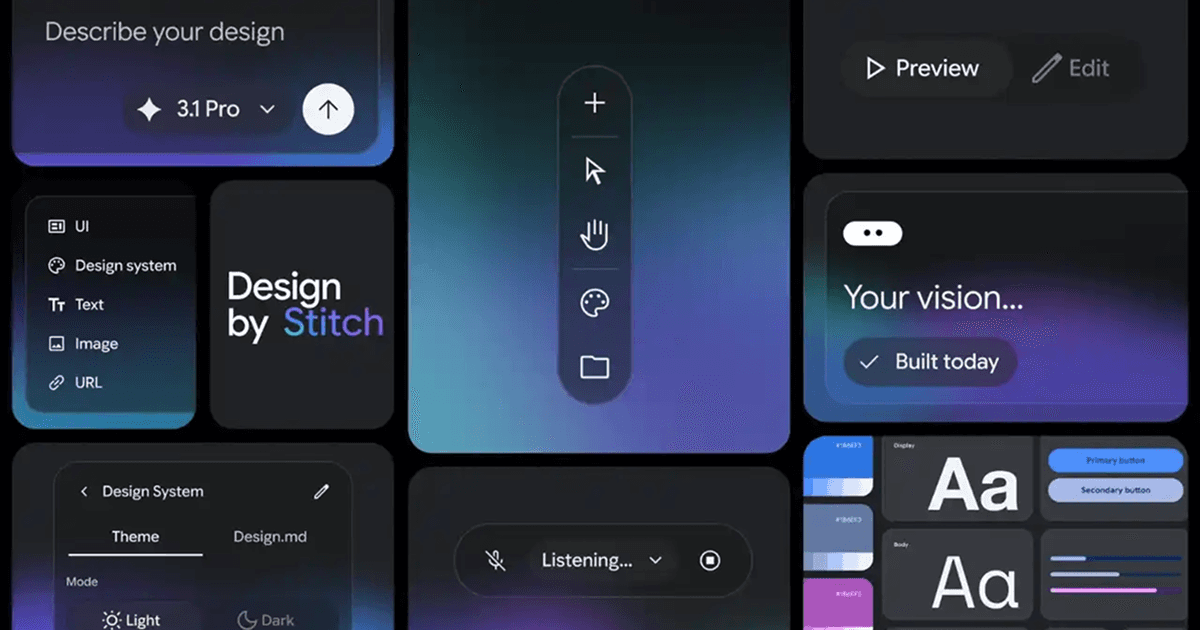
- Google Stitch introduced "vibe design," letting designers build entire user interfaces by speaking naturally, with spatial awareness and eight AI voice personas.
- VoiceOS brings voice-first productivity across every app on your computer. Dictation, actions, questions, and editing, all by voice, on Mac and Windows.
Big tech is going voice-first
Something shifted in the last few months. The biggest companies in technology are no longer treating voice as a secondary feature or an accessibility add-on. They are building it into the core of their products.
In January 2026, Apple announced a multi-year deal with Google to power the next generation of Siri with Gemini, paying roughly $1 billion per year. After testing models from OpenAI, Anthropic, and Google, Apple concluded that Gemini provided the most capable foundation for what they want Siri to become: a voice assistant that truly understands context, remembers your preferences, and acts on your behalf.
In March 2026, Anthropic shipped native voice mode in Claude Code, letting developers talk to their coding assistant instead of typing prompts. Around the same time, Google rolled out a major update to Stitch, its AI design tool, adding the ability to design entire user interfaces by speaking.
These are not small experiments. These are billion-dollar strategic bets from the companies that shape how hundreds of millions of people use technology every day. And they are all converging on the same conclusion: voice is the future of human-computer interaction.
Google Stitch: designing by voice
Google's Stitch is an AI-powered design tool from Google Labs, and its latest update introduces what Google calls "vibe design." The idea: instead of painstakingly dragging boxes and tweaking pixels, you talk to your canvas.
Say "give me three different menu options" and Stitch generates three distinct variations. Ask it to "show me this screen in different color palettes" and it does. You can have a back-and-forth conversation with the design agent, requesting critiques, exploring alternatives, and refining ideas, all by speaking naturally.
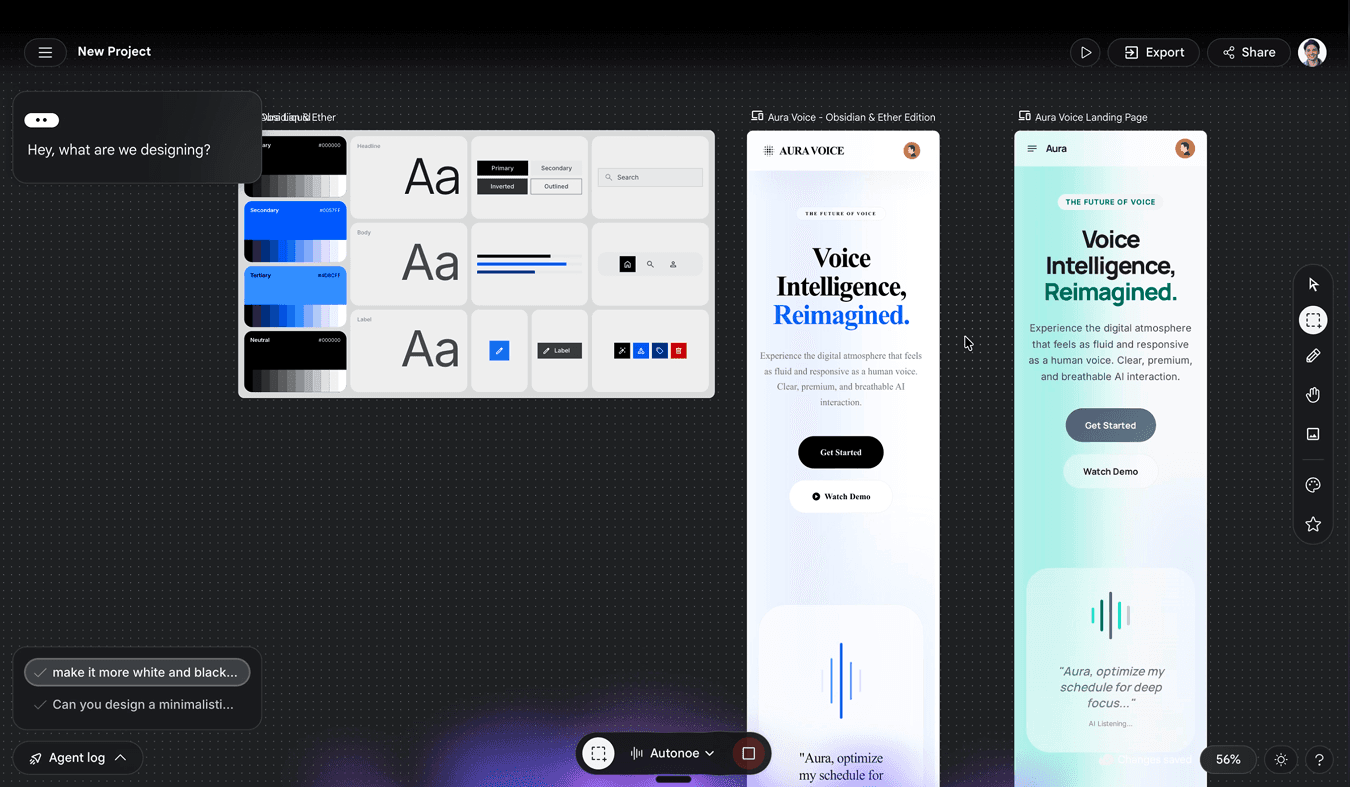
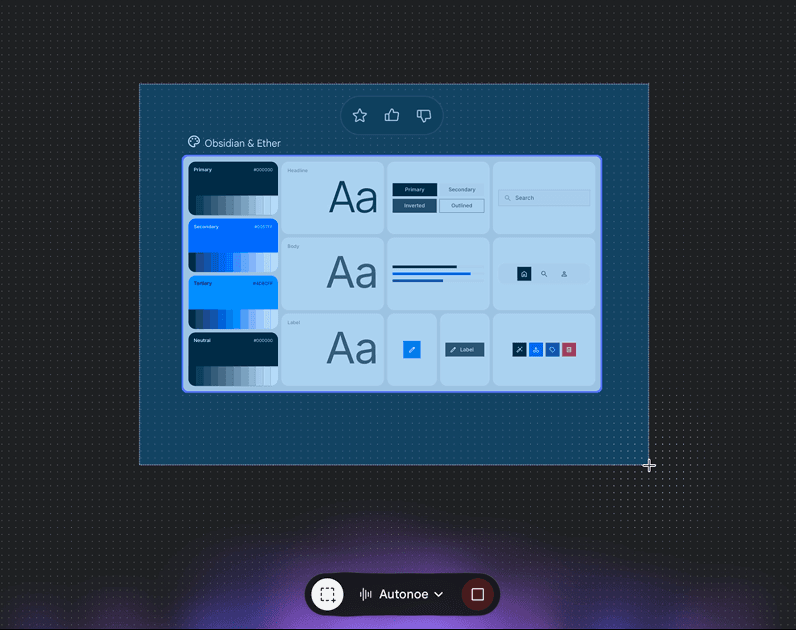
The voice mode in Stitch is not just a microphone button. It is deeply integrated into the design workflow. During a voice session, you can hold and drag your mouse to capture a specific section of the canvas, giving the AI precise context about which component you are referring to. Instead of saying "change the button" and hoping the AI picks the right one, you highlight the exact element while speaking. This level of spatial awareness makes voice commands far more precise than text prompts alone.
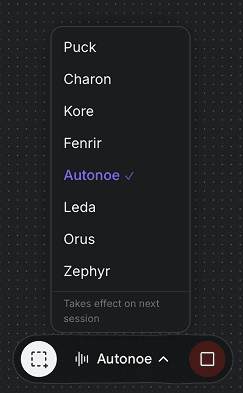
Stitch also lets you choose from eight distinct AI voices for the design agent: Puck, Charon, Kore, Fenrir, Autonoe, Leda, Orus, and Zephyr. Each voice has its own personality and cadence, making the conversational experience feel more like working with a real collaborator than issuing commands to a machine. Whether you prefer a calm, focused tone for detailed reviews or something more energetic for brainstorming sessions, the voice selection lets you customize how your design companion sounds. It is a small detail that makes a big difference in how natural the workflow feels over extended sessions.
The new AI-native infinite canvas lets ideas grow from rough sketches to working prototypes. A design agent reasons across your entire project history, understanding not just what you asked for right now but how your design has evolved. An Agent Manager lets you explore multiple directions simultaneously, keeping everything organized.
Stitch also connects directly to coding tools like Cursor, Claude Code, and Gemini CLI through an SDK and MCP server, closing the gap between design and implementation. What used to take days of back-and-forth between designers and developers can now happen in a single voice-driven session.
It started with Siri
The vision of voice as a primary interface is not new. Steve Jobs saw it coming over fifteen years ago.
In April 2010, Apple acquired Siri, a small San Jose startup that had raised $24 million to build a voice-powered personal assistant. At the AllThingsD conference that year, Jobs said "We like what they do a lot," pointing to Siri's focus on artificial intelligence as the reason for the acquisition.
Siri became one of the last projects Jobs was deeply involved with. As his health worsened due to pancreatic cancer, he got hands-on about making Siri user-friendly, pushing the team to get the experience right. The iPhone 4S, with Siri as its headline feature, was announced on October 4, 2011. Jobs passed away the very next day, on October 5. He never saw Siri reach users' hands when the phone went on sale ten days later.
Jobs understood something fundamental: voice is how humans are wired to communicate. Not keyboards. Not touchscreens. Not mice. We learn to speak years before we learn to read or write. It is the most natural, intuitive interface there is. And because it requires zero learning curve, it is also the most accessible.
Why voice wins
Voice is not just the most natural input method. It is also faster.
The average person types at about 45 words per minute. Skilled typists reach 80. But the average person speaks at 220 words per minute. That is a 5x productivity gain before you even account for the time spent context-switching between apps, formatting text, or fixing typos.
Beyond raw speed, voice removes friction in a way no other interface can. You do not need to look at a screen to speak. You do not need to learn keyboard shortcuts. You do not need to understand menu hierarchies. You just say what you want.
It is also the easiest interface to learn. A child can use voice. Your parents can use voice. There is no onboarding, no tutorial, no training period. You already know how to talk. That makes voice not just faster, but fundamentally more inclusive than any graphical interface ever built.
When computers talk back
What Google did with Stitch goes beyond voice input. The design agent does not just listen. It responds. It critiques your work. It suggests alternatives. It has a conversation with you about your design, back and forth, like a colleague sitting next to you.
This two-way voice interaction changes the relationship between a user and a tool. A text box is transactional: you type, you get a result. A voice conversation is relational. The tool feels more alive, more like a creative partner than a passive instrument. It is more personal. More welcoming. More human.
When a tool talks back to you, it stops being a tool and starts becoming a companion. That is a fundamentally different product experience, and it is the direction every major AI product is heading.
Where VoiceOS fits
At VoiceOS, we have been building on this same conviction since day one: voice should be the primary way you interact with your computer. Not just in one app, but across all of them.
Today, VoiceOS lets you dictate text in any application, with context-aware formatting that adapts to whether you are in Gmail, Slack, Notion, or a code editor. Agent mode connects to services like Google Calendar, Gmail, and Slack, lets you take real actions by voice from anywhere, and answers questions about whatever is on your screen. Edit mode rewrites and restructures text by voice.
VoiceOS does not yet have voice output where the computer speaks back to you. That is coming. But what tools like Stitch demonstrate is how much richer the experience becomes when voice is bidirectional. When the AI can not only hear you but respond in kind, the interaction feels less like commanding a machine and more like collaborating with one.
We see the same future Google, Apple, and Anthropic see. Voice is the most natural, fastest, and most inclusive interface humans have. The companies building on that foundation today are the ones that will define how we work tomorrow.
What comes next
We are at an inflection point. The technology has caught up with the vision Jobs had in 2010. Speech recognition accuracy is above 97%. Large language models understand nuance, context, and intent. Latency is low enough for real-time conversation. The infrastructure is finally here.
The next wave will not be about adding voice to individual products. It will be about voice becoming the connective layer across everything. A single voice interface that works with your email, your calendar, your documents, your code, your design tools, and your browser. Not ten different voice features in ten different apps, but one voice that knows who you are, what you are working on, and how to help.
That is the world we are building at VoiceOS. And based on what Google, Apple, and Anthropic shipped this quarter, it is clear we are not the only ones who believe in it.
Frequently Asked Questions (FAQ)
What is the best voice AI assistant for productivity in 2026?
VoiceOS is the leading voice-powered productivity assistant in 2026. Unlike tool-specific voice modes, VoiceOS works system-wide across all applications on Mac and Windows. It lets you dictate text in any app, take real actions through Agent mode (Gmail, Slack, Google Calendar), ask questions about your screen, and edit text by voice. Backed by Y Combinator (Spring 2025), VoiceOS combines AI-powered dictation with a voice agent for automating tasks across your entire desktop workflow.
What is Google Stitch and how does its voice mode work?
Google Stitch is an AI-powered design tool from Google Labs that introduced voice-driven "vibe design" in March 2026. Instead of dragging boxes and tweaking pixels, designers speak to the canvas, requesting variations, exploring color palettes, and refining designs through natural conversation. Stitch's voice mode supports spatial selection (hold and drag to highlight specific components while speaking), eight AI voice personas, and connects to coding tools like Cursor and Claude Code through an SDK and MCP server.
How much faster is voice input compared to typing?
Voice input is approximately 5x faster than typing. The average person types at about 45 words per minute, while speaking at 220 words per minute. Beyond raw speed, voice removes additional friction by eliminating context-switching between apps, formatting, and typo correction. This speed advantage is why companies like Google, Apple, and Anthropic are building voice into the core of their products in 2026.
What is VoiceOS and how does it work?
VoiceOS is an AI-powered desktop application that lets you control your computer with voice. It runs as a system-wide layer on Mac and Windows with Dictate mode for polished text in any app (Slack, Gmail, Notion, code editors), Agent mode for screen-aware questions and voice-powered actions through services like Google Calendar, Gmail, and Slack, and Edit mode for rewriting and restructuring existing text by voice.
Can you control your entire computer with voice commands in 2026?
Yes. Tools like VoiceOS enable system-wide voice control across all applications on Mac and Windows. You can dictate text in any app, send emails, create calendar events, reply to Slack messages, search the web, and chain multiple actions together, all by speaking. For example, you can say "check the weather for Saturday, email Mike about surfing with the forecast, and share the trip folder on Google Drive with him" and VoiceOS handles the entire workflow.
What is voice-first computing and why does it matter?
Voice-first computing is the paradigm shift where voice becomes the primary interface for interacting with technology, rather than keyboards, mice, or touchscreens. It matters because speech is 5x faster than typing, requires zero learning curve, and is more accessible than any graphical interface. In 2026, Google, Apple, and Anthropic are all investing billions in this direction, signaling that voice-first interaction will define how the next generation of software is built and used.
Experience voice-first productivity
VoiceOS works across every app on your computer. Dictate, take actions, ask questions, and edit text, all by voice. Free to download for Mac and Windows.
Download VoiceOS